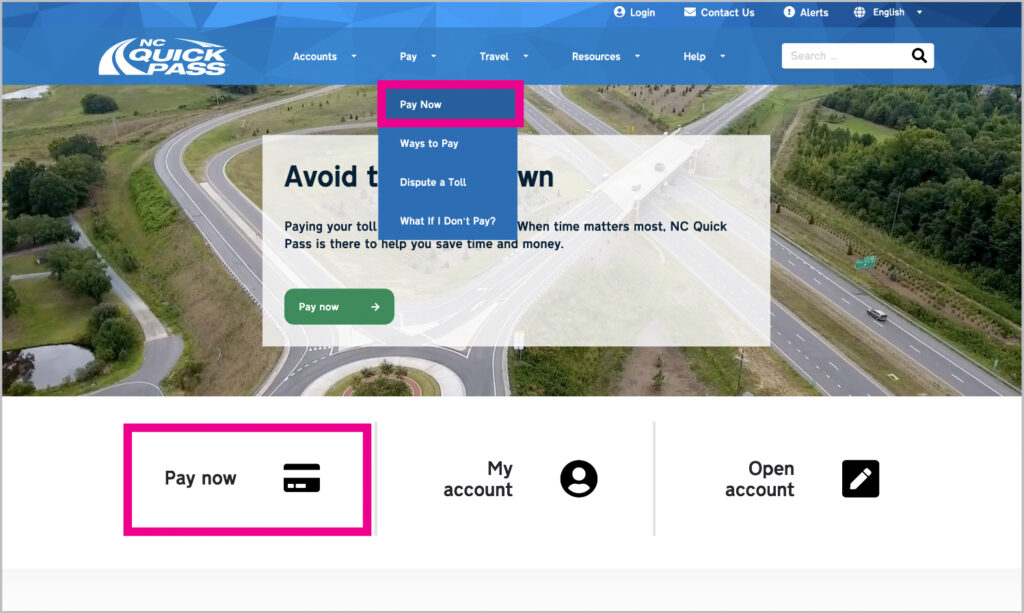
Go to the Pay Now page.
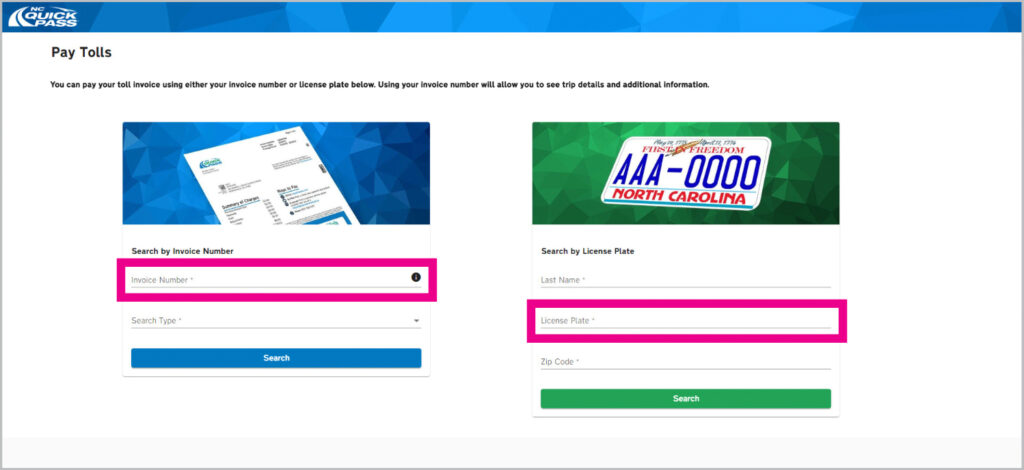
Search for your invoice by typing in your invoice number or license plate.
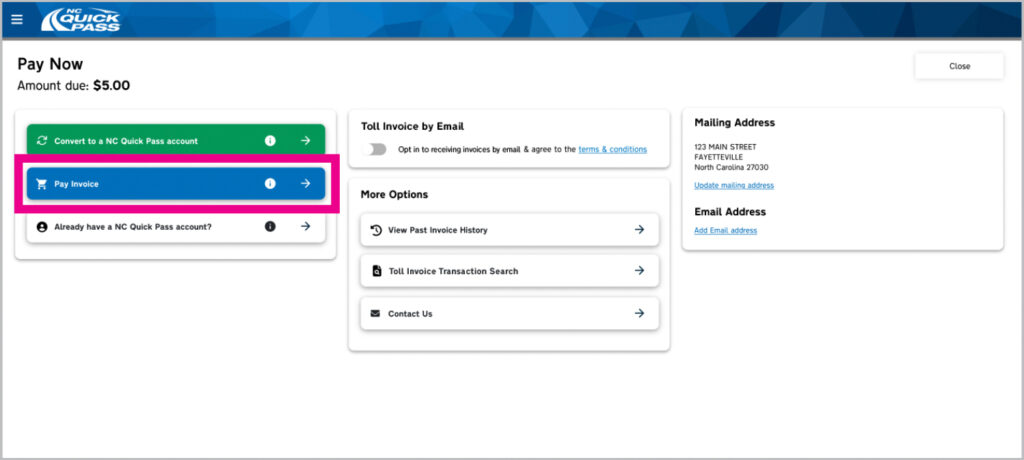
Select Pay Invoice from the options.
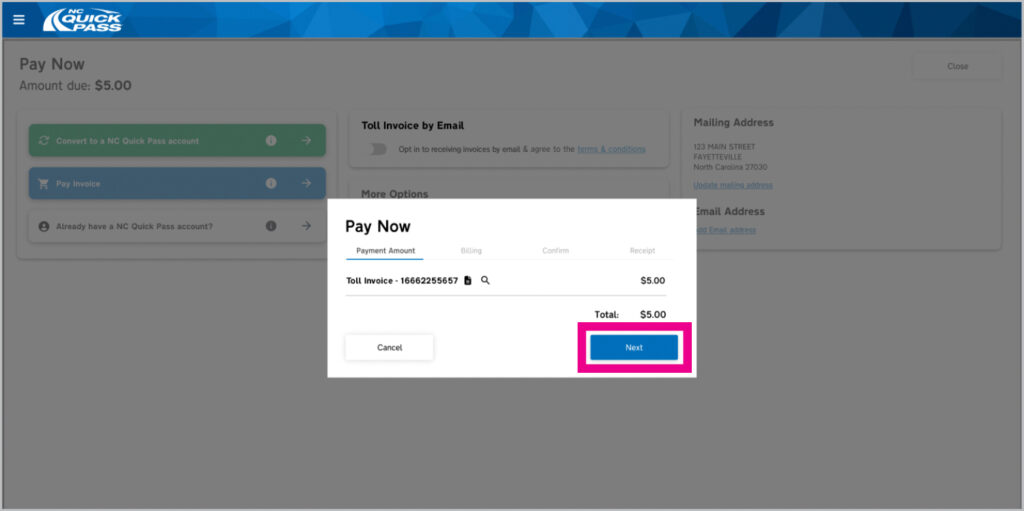
The total amount due will appear. Select Next.
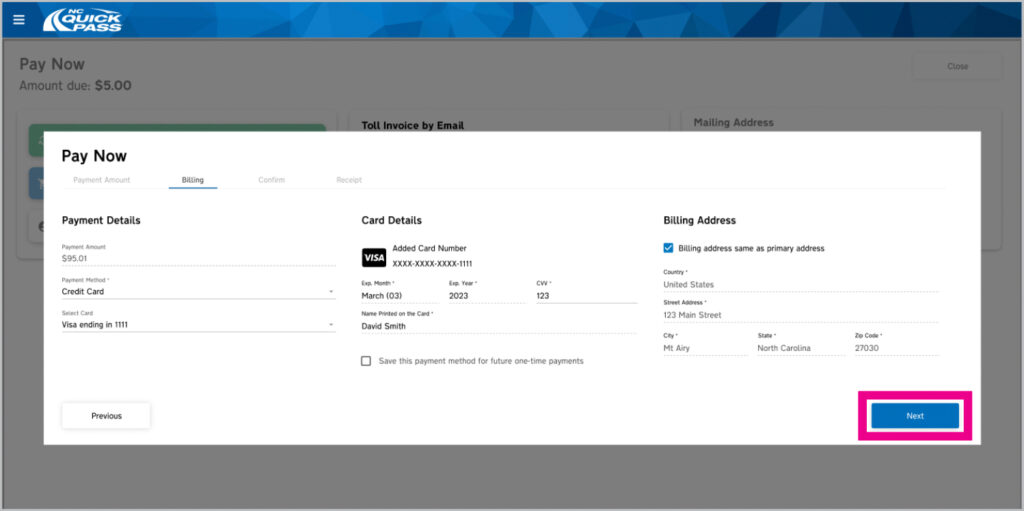
Fill out the Payment Details, Card Details and Billing Address info. Select Next.
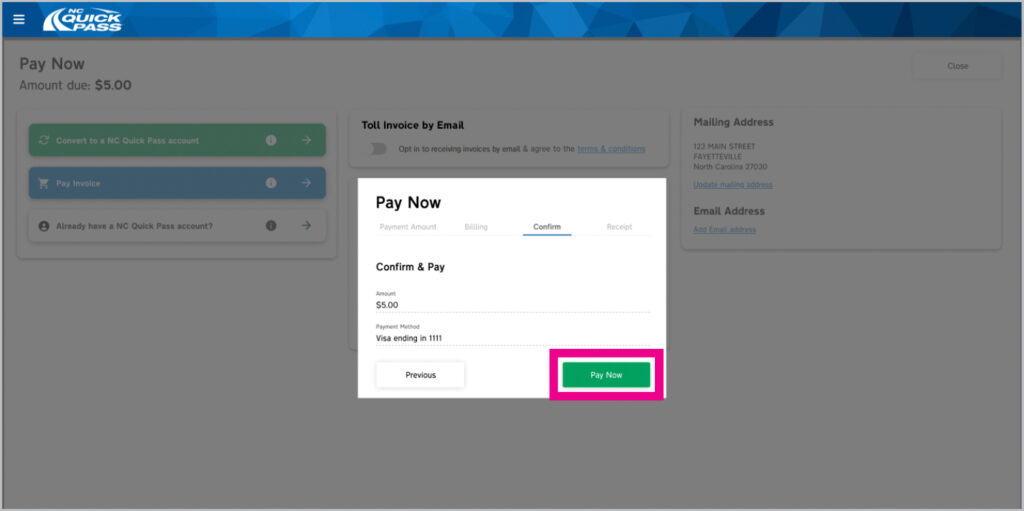
If everything looks correct on the Confirm & Pay pop-up window, select Pay Now.
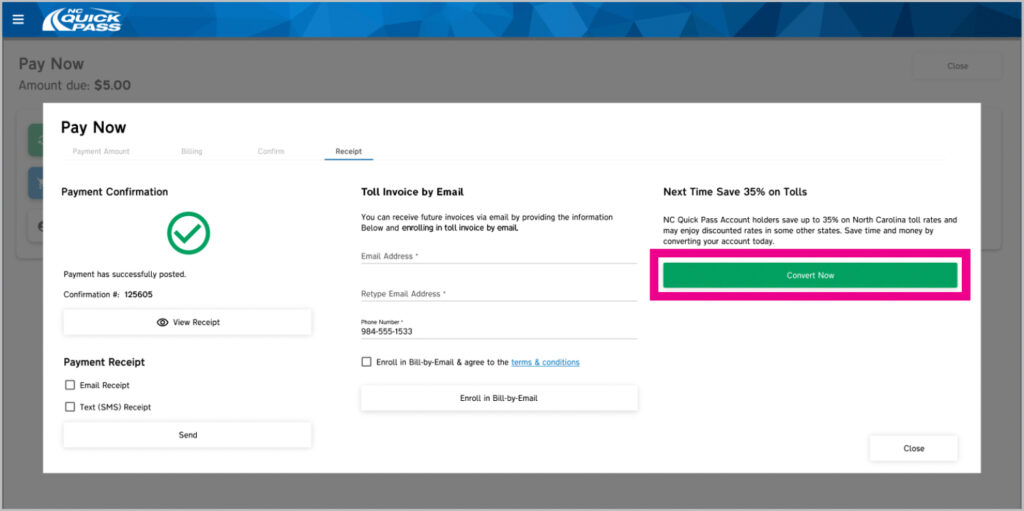
Success! You’ve paid your toll invoice in the mail. Select Convert Now to sign up for a NC Quick Pass account.